
🌐SaaS engine
Host the core independent development configuration of all tenants, a set of programs to drive N tenants
📌Introduction
- As one of the highlights of the platform, the SaaS engine hosts the core independent development configuration of all tenants.
- The platform defaults to the SaaS mode and must be specified during deployment.
OsClient、OsClientType、OsClientNetwork - A separate database for each tenant, available in the main library.
sys_osclientsConfigure independent database connection, MongoDB, Redis, MQ, Aliyun, MinIO, etc.
- One set of programs drives N tenant databases, instead of deploying another set of docker programs for each tenant
- Local secondary development
一键切换租户数据库、环境*主库when deploying the platform环境变量orappsettings.jsonconfigured in数据库连接字符串[OsClientDbConn]- All
Saas引擎配置with主库prevail, the tenant library'sSaas引擎配置The table can be cleared of data.
'OsClient'
- OsClient value is
SaaS引擎Key, determine which tenant, value custom, recommended all lowercase letters, such as fill inmicroi、anderson、iTdos
'OsClientType'
- OsClientType value is
SaaS引擎环境类型, value customization, such正式环境、测试环境、外帐环境Wait- If filled in
Product, on behalf正式环境, then this piece of data数据库连接字符串、MongoDB、RedisAll shall be filled in正式环境Configuration- If filled in
Dev, represent测试环境, then this data record's数据库连接字符串、MongoDB、RedisAll should be filled in.测试环境The configuration
'OsClientNetwork'
- OsClientNetwork value is
SaaS引擎网络类型,custom value, such as内网、外网Wait- If filled in
Internal, represent内网环境, then this data record's数据库连接字符串、MongoDB、RedisIn the IP should be filled in内网环境of the IP- If filled in
Internet, represent公网环境, then this data record's数据库连接字符串、MongoDB、RedisAll IPs in it should be filled in.公网环境of the IP
The program must specify the above 3 parameters
- Local secondary development modification
OsClientOsClientTypeOsClientNetworkThree values to easily switch不同租户of the不同环境
- In the main library
sys_osclientsIn the table,OsClientOsClientTypeOsClientNetworkThe three fields are unique at the same time. For example, the following three data items are supported at the same time:
- When
OsClient="microi ",OsClientType="Product ",OsClientNetwork="InternalDbConn= "Data Source = 192.168.1.11;Database = microi"内网IP正式环境数据库- When
OsClient="microi",OsClientType="Dev ",OsClientNetwork="Internal ",DbConn="Data Source = 192.168.1.11;Database = microi_dev" means that内网IP测试环境数据库- When
OsClient="microi",OsClientType="Dev",OsClientNetwork="Internet ",DbConn= "Data Source = 59.110.139.95; When Database = microi_dev", it means that公网IP测试环境数据库
Basic Configuration
- Support database read and write separation, support specified storage media
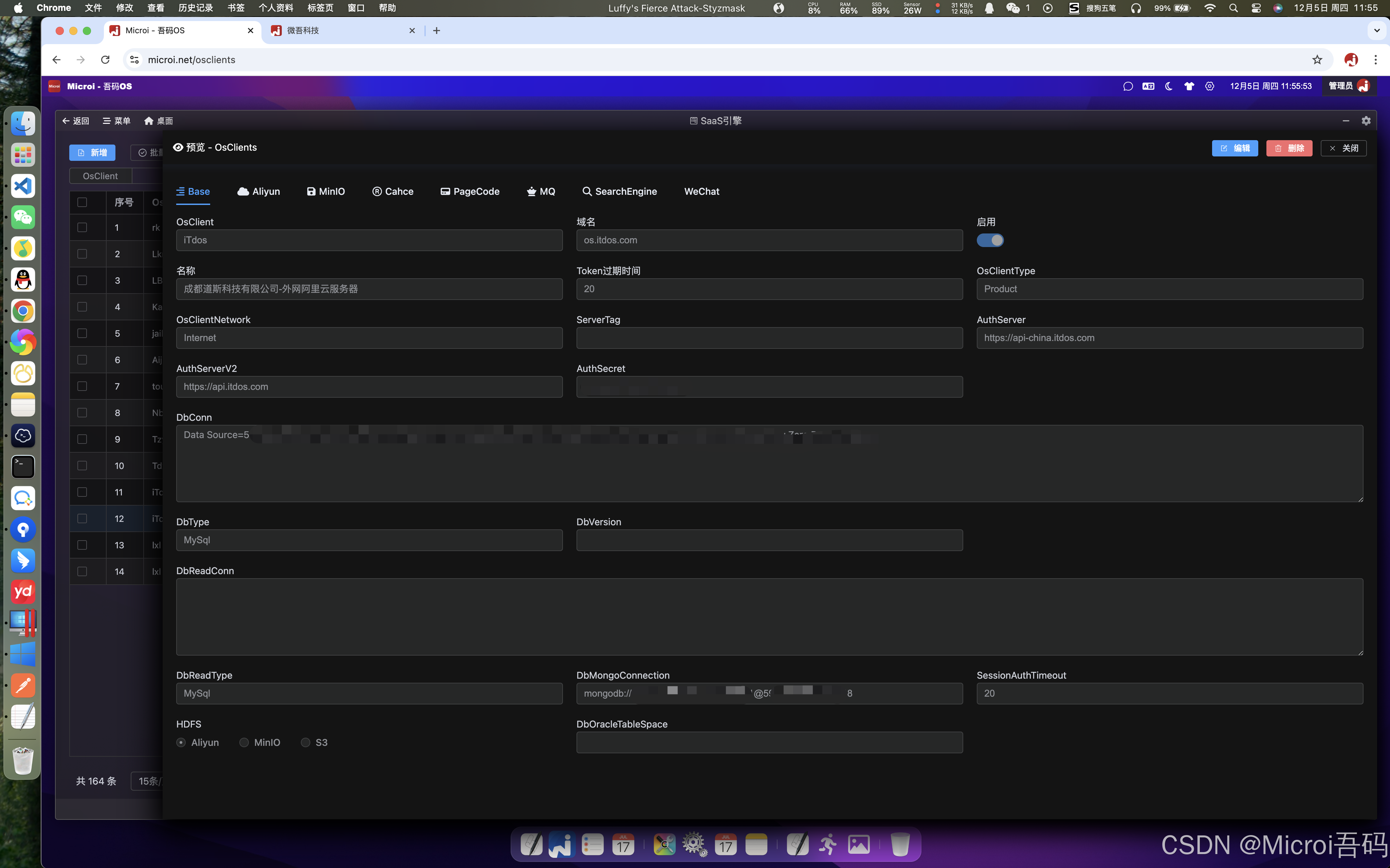
Alibaba Cloud configuration
- If MinIO is not used, Alibaba Cloud's OSS CDN can be used
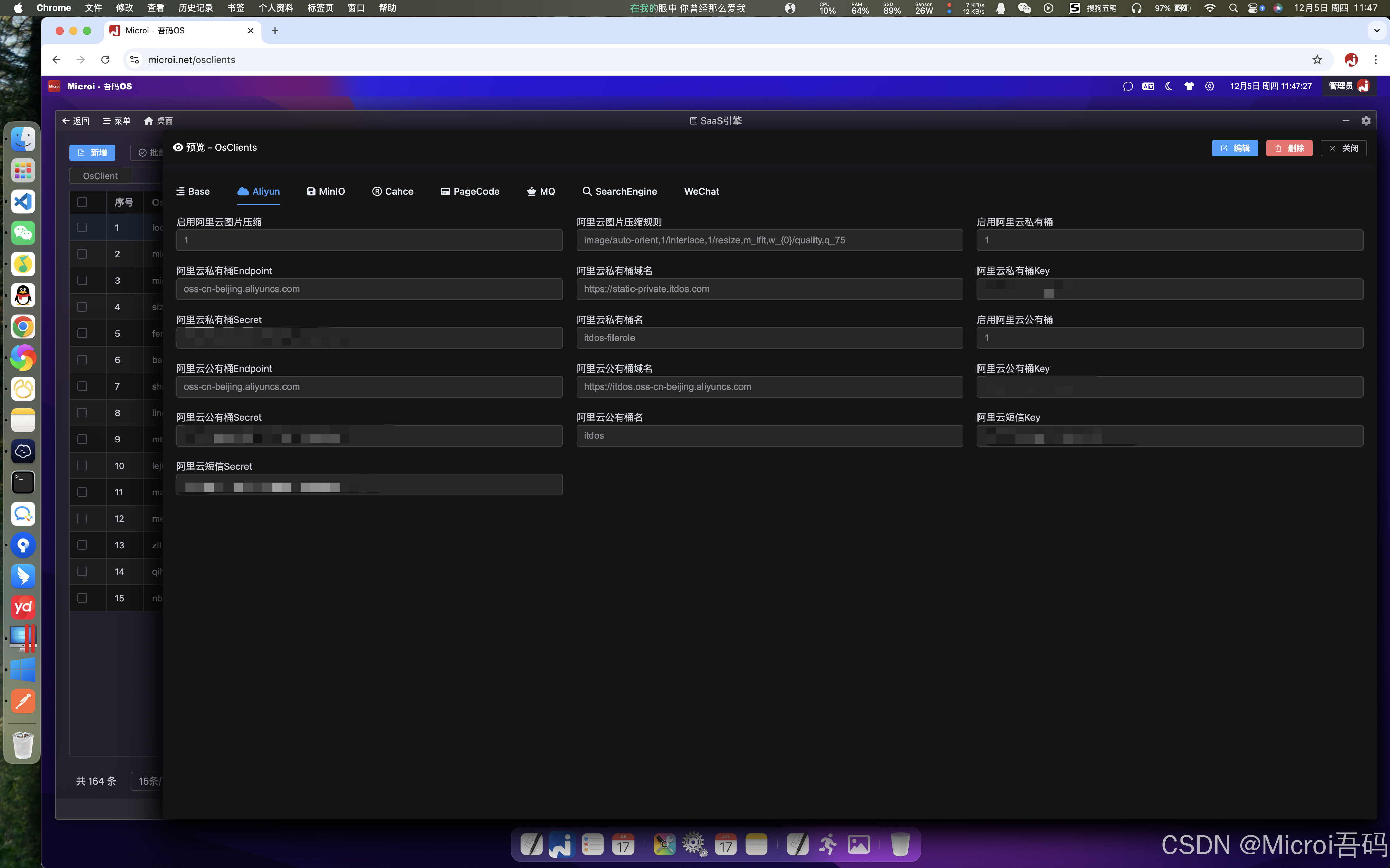
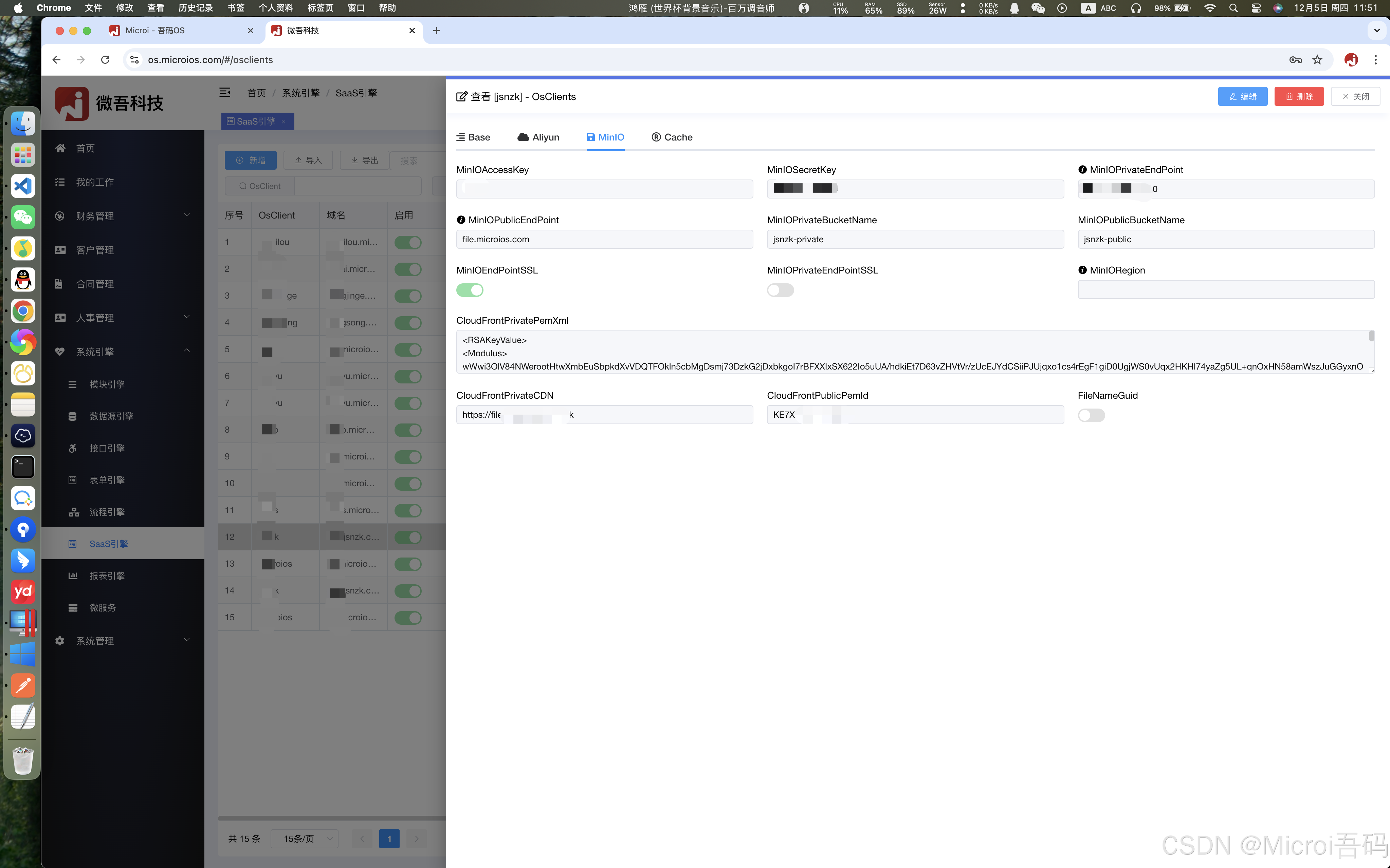
MinIO Configuration
- If you are not using Alibaba Cloud OSS, you can use MinIO
- It is worth noting that MinIO must set [proxy_set_header Host $http_host] when doing reverse proxy, while ariyun OSS, CDN and load balancing will have no problem under the default configuration.
- For example, the reverse proxy profile of the blogger
Expand View Shell Commands (line 88)
shell
proxy_cache_path /www/wwwroot/static.chongstech.com/proxy_cache_dir levels=1:2 keys_zone=static_chongstech_com_cache:20m inactive=1d max_size=5g;
server {
    listen 80;
    listen 443 quic;
    listen 443 ssl;
    http2 on;
    server_name static.chongstech.com;
    index index.php index.html index.htm default.php default.htm default.html;
    root /www/wwwroot/static.chongstech.com;
    #CERT-APPLY-CHECK--START
    # 用于SSL证书申请时的文件验证相关配置 -- 请勿删除
    include /www/server/panel/vhost/nginx/well-known/static.chongstech.com.conf;
    #CERT-APPLY-CHECK--END
    #SSL-START SSL相关配置,请勿删除或修改下一行带注释的404规则
    #error_page 404/404.html;
    ssl_certificate    /www/server/panel/vhost/cert/static.chongstech.com/fullchain.pem;
    ssl_certificate_key    /www/server/panel/vhost/cert/static.chongstech.com/privkey.pem;
    ssl_protocols TLSv1.1 TLSv1.2 TLSv1.3;
    ssl_ciphers EECDH+CHACHA20:EECDH+CHACHA20-draft:EECDH+AES128:RSA+AES128:EECDH+AES256:RSA+AES256:EECDH+3DES:RSA+3DES:!MD5;
    ssl_prefer_server_ciphers on;
    ssl_session_cache shared:SSL:10m;
    ssl_session_timeout 10m;
    add_header Strict-Transport-Security "max-age=31536000";
    error_page 497  https://$host$request_uri;
    #SSL-END
    #REDIRECT START
    #REDIRECT END
    #ERROR-PAGE-START  错误页配置,可以注释、删除或修改
    #error_page 404 /404.html;
    #error_page 502 /502.html;
    #ERROR-PAGE-END
    #PHP-INFO-START  PHP引用配置,可以注释或修改
    include enable-php-00.conf;
    #PHP-INFO-END
    #IP-RESTRICT-START 限制访问ip的配置,IP黑白名单
    #IP-RESTRICT-END
    #BASICAUTH START
    #BASICAUTH END
    #SUB_FILTER START
    #SUB_FILTER END
    #GZIP START
    #GZIP END
    #GLOBAL-CACHE START
    #GLOBAL-CACHE END
    #WEBSOCKET-SUPPORT START
      proxy_http_version 1.1;
      proxy_set_header Upgrade $http_upgrade;
      proxy_set_header Connection $connection_upgrade;
    #WEBSOCKET-SUPPORT END
    #PROXY-CONF-START
    location ^~ / {
      proxy_pass http://localhost:1010;
      proxy_set_header Host $http_host;
      proxy_set_header X-Real-IP $remote_addr;
      proxy_set_header X-Real-Port $remote_port;
      proxy_set_header X-Forwarded-For $proxy_add_x_forwarded_for;
      proxy_set_header X-Forwarded-Proto $scheme;
      proxy_set_header X-Forwarded-Host $host;
      proxy_set_header X-Forwarded-Port $server_port;
      proxy_set_header REMOTE-HOST $remote_addr;
      proxy_connect_timeout 60s;
      proxy_send_timeout 600s;
      proxy_read_timeout 600s;
      proxy_http_version 1.1;
      proxy_set_header Upgrade $http_upgrade;
      proxy_set_header Connection $connection_upgrade;
    }
    #PROXY-CONF-END
    #SERVER-BLOCK START
    #SERVER-BLOCK END
    #禁止访问的文件或目录
    location ~ ^/(\.user.ini|\.htaccess|\.git|\.env|\.svn|\.project|LICENSE|README.md)
    {
        return 404;
    }
    #一键申请SSL证书验证目录相关设置
    location /.well-known{
        allow all;
    }
    #禁止在证书验证目录放入敏感文件
    if ( $uri ~ "^/\.well-known/.*\.(php|jsp|py|js|css|lua|ts|go|zip|tar\.gz|rar|7z|sql|bak)$" ) {
        return 403;
    }
    #LOG START
    access_log  /www/wwwlogs/static.chongstech.com.log;
    error_log  /www/wwwlogs/static.chongstech.com.error.log;
    #LOG END
}
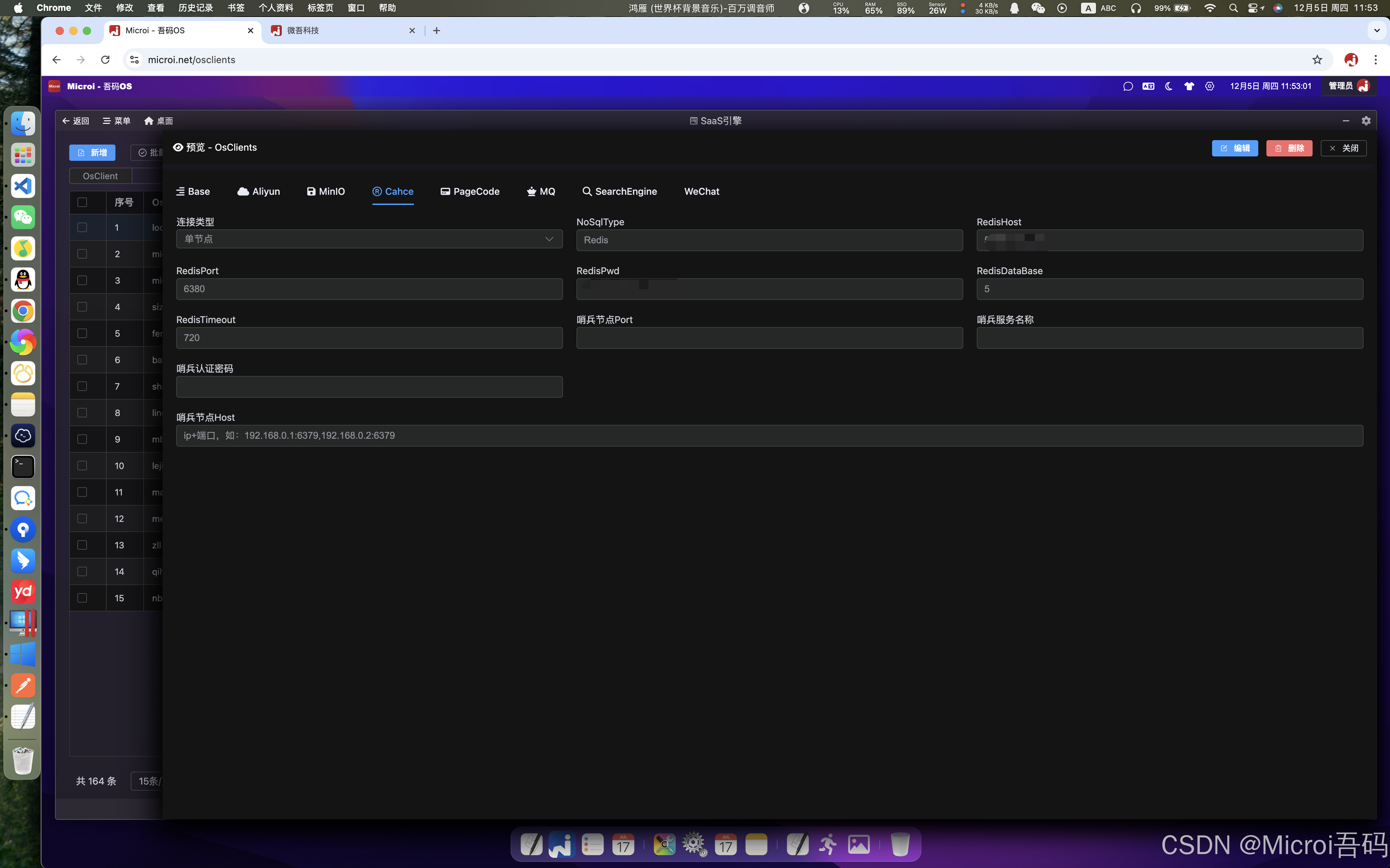
Redis Configuration
- Support Sentinel mode
MQ message queue configuration
- Support cluster mode
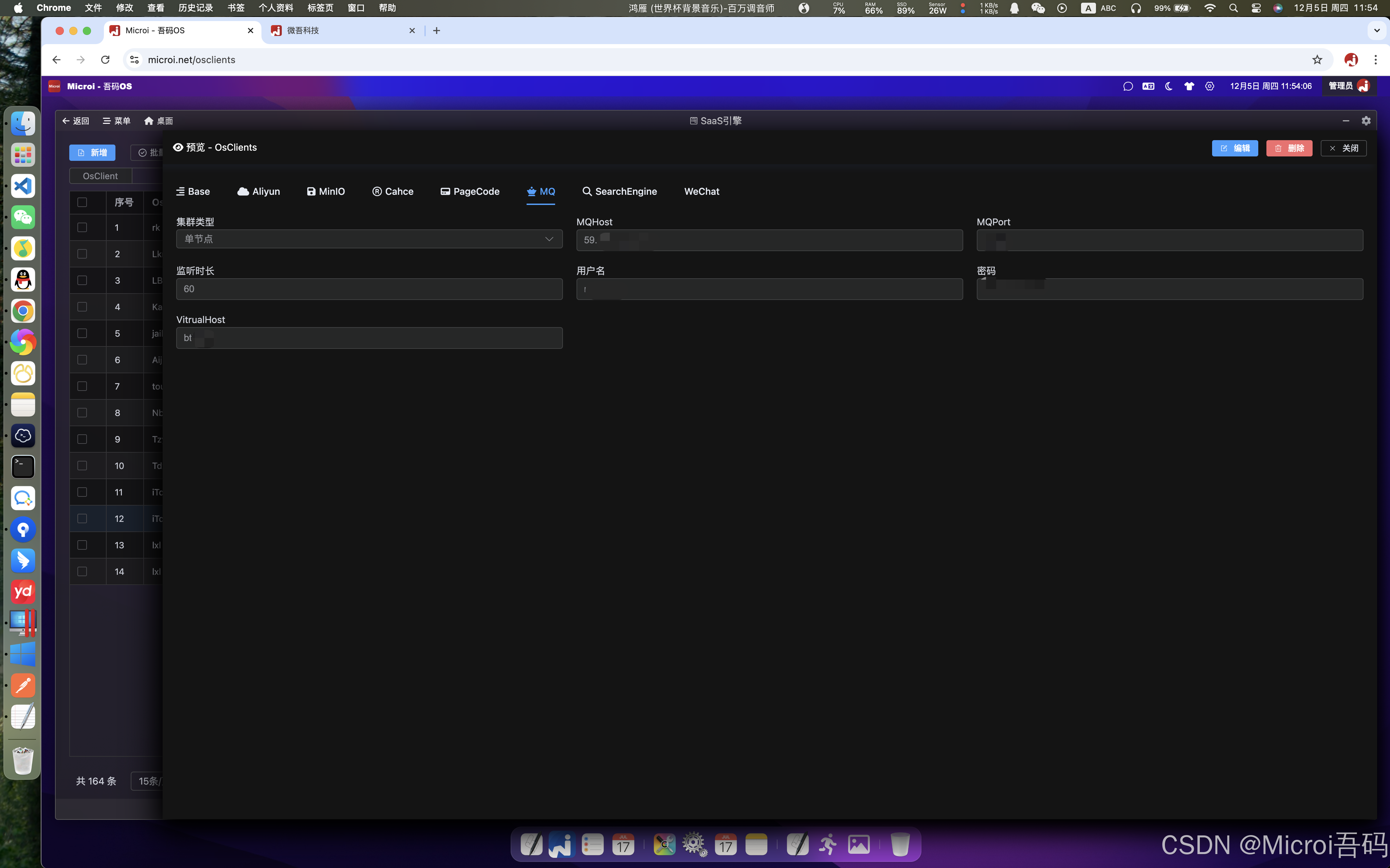
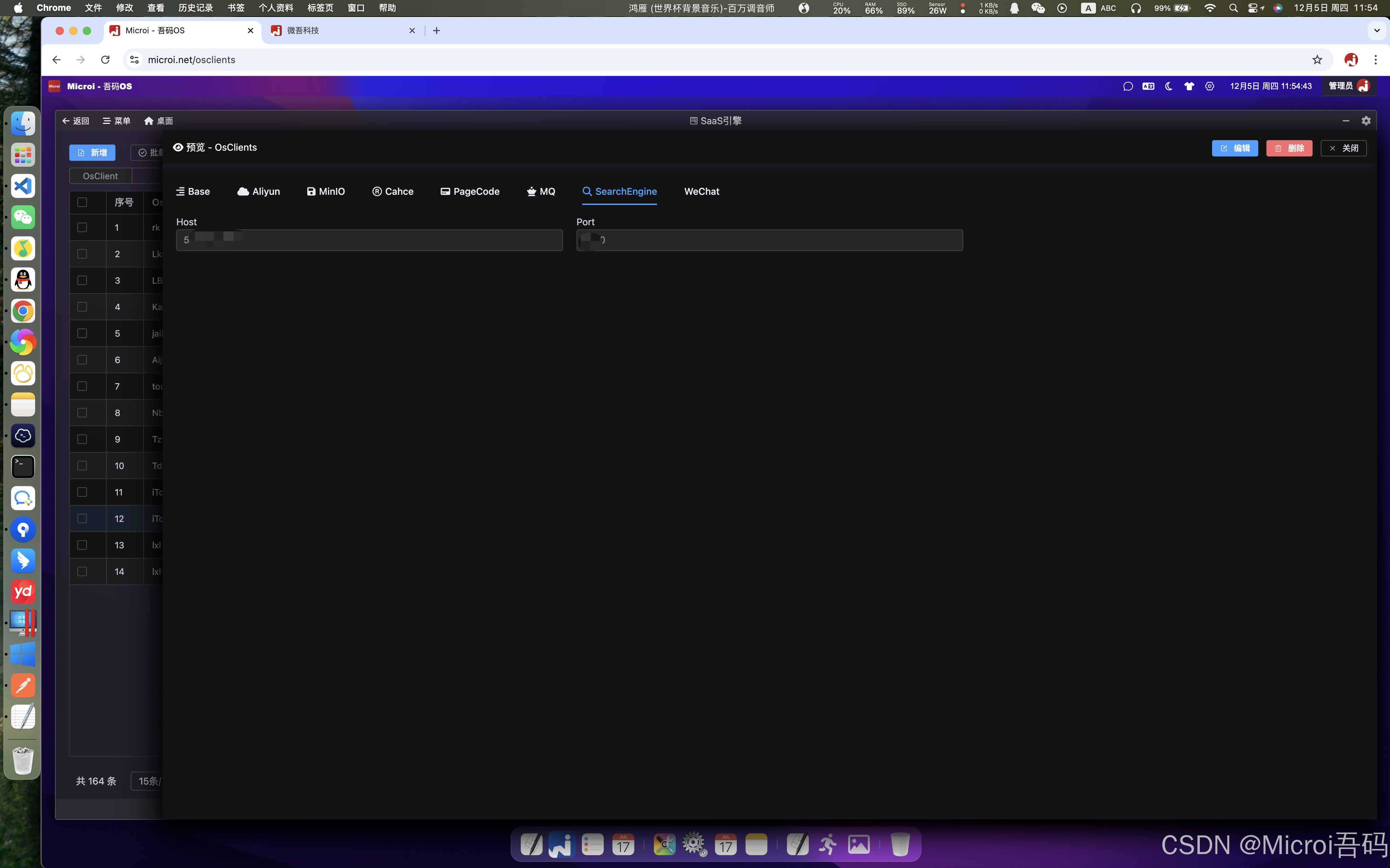
Search Engine Configuration
- Currently, only ES search engine is supported, and word segmentation search is supported. Other search engines may be expanded in the future.
interface engine differentiates saas tenants
- the user accesses a custom interface address of an interface engine, such as:(https:// api.itdos.com/apiengine/test1)[https://api.itdos.com/apiengine/test1],默认是走主库的接口引擎
- Assuming that tenant A and tenant B both have a [/apiengine/test1] interface, there are multiple ways to distinguish access:
- when accessing the [/apiengine/test1] interface, pass in the token of the corresponding user, and the platform will identify the OsClient value according to the token to access the corresponding saas tenant database
- when accessing the [/apiengine/test1] interface, anonymous access is made without token, which is distinguished by adding Url parameters, such as:/apiengine/test1?OsClient = veken
- Url parameters may not be used in some special cases, such as WeChat payment callback, OsClient values can be passed in through special formats to distinguish saas tenant databases, such as:/apiengine/test1 -- OsClient -- veken--
js
//示例代码
var appid = V8.OsClientModel.MiniProgramAppId;//小程序 appid
var privateKey = V8.OsClientModel.WxPayPrivateKey;//私书私有key
var notify_url = V8.SysConfig.ApiBase + `/apiengine/wxpay-notify--OsClient--${V8.OsClient}--`;//用户支付成功后回调地址,由接口引擎实现
var jsapiUrl = 'https://api.mch.weixin.qq.com/v3/pay/transactions/jsapi';//腾讯官方下单地址,固定url
var jsapiUrlSimple = '/v3/pay/transactions/jsapi';//腾讯官方下单地址,固定url
var currentUser = V8.CurrentUser;Add SaaS tenant, SaaS database open library
- before starting saas mode, you must confirm that the OsClient value of the environment variable of the front-end program of the main library PC is empty, that is, after the source code of the corresponding main library access address such as [[https:// OS .itdos.com]](https:// OS .itdos.com/) is opened [var OsClient = '';] is a null value. If not, you need to manually re-install the PC front-end program with docker run, and ensure that the value of the environment variable OsClient is an empty string.
Preparing the SaaS database
- It is recommended to use demo or empty database above gitee, assuming that the new database connection string is: Data Source = 59.110.139.96;Database = microi_demo;User Id = microi_demo;Password = password123456;Port = 1306;Convert Zero Datetime = True;Allow Zero Datetime = True;Charset = utf8mb4;Max Pool Size = 500;Min Pool Size = 5; Lifetime; connection Timeout = 30;Pooling = true;sslmode = None;
- think about the Key value of the SaaS database in advance, that is, the OsClient value, for example: saas1
- If the source server database is MySql8 and the target server database is MySql5.7, it will make it impossible to restore directly. You can create an empty database on the target server and then use the Navicat data transmission function to restore the database.
- after the restore is successful, we recommend that you run the following SQL statement:
sql
-- 1、修改【sys_config】表中的【SysTitle】字段为新系统名称
update sys_config set SysTitle='新系统名称';
-- 2、修改【sys_osclients】表中的【OsClient】字段为新系统key,修改【RedisHost、RedisPort、RedisPwd】字段为空
update sys_osclients set OsClient='新系统key',RedisHost='',RedisPort='',RedisPwd='';
-- 3、为了防止部分定时任务影响原有业务,建议执行sql停止所有定时任务
update diy_schedule_job set Status='暂停';
update microi_job_triggers set TRIGGER_STATE='PAUSED';2. Add data in the main library SaaS engine
- in order to quickly add and reference some configurations of the main library, it is recommended to directly use the [copy] function in the SaaS engine. for example, we copy the data [iTdos, Product, Internal], then fill in the new [saas1, Product, Internal] and add
- modify the value of [database connection string] in the data added above to the connection string of the SaaS database prepared above, and modify the domain name to the domain name or IP: port you want to access. for example, [web.microi.net] is a SaaS library, or you can also fill in [192.168.1.11:1002]]
- at this time, you must restart the docker container of the back-end api image (later versions will fix this problem without restarting)
3, do reverse proxy
- assuming that the access address of the main library is [192.168.1.11:1001], nginx needs to add a reverse proxy [192.168.1.11:1002] to the 1001 port, and the [192.168.1.11:1002] saas library can be directly accessed at this time
- a similar example [https:// OS .itdos.com] is the main library, and [web.microi.net] is one of the saas libraries